
Simple Bill Receipt in Excel
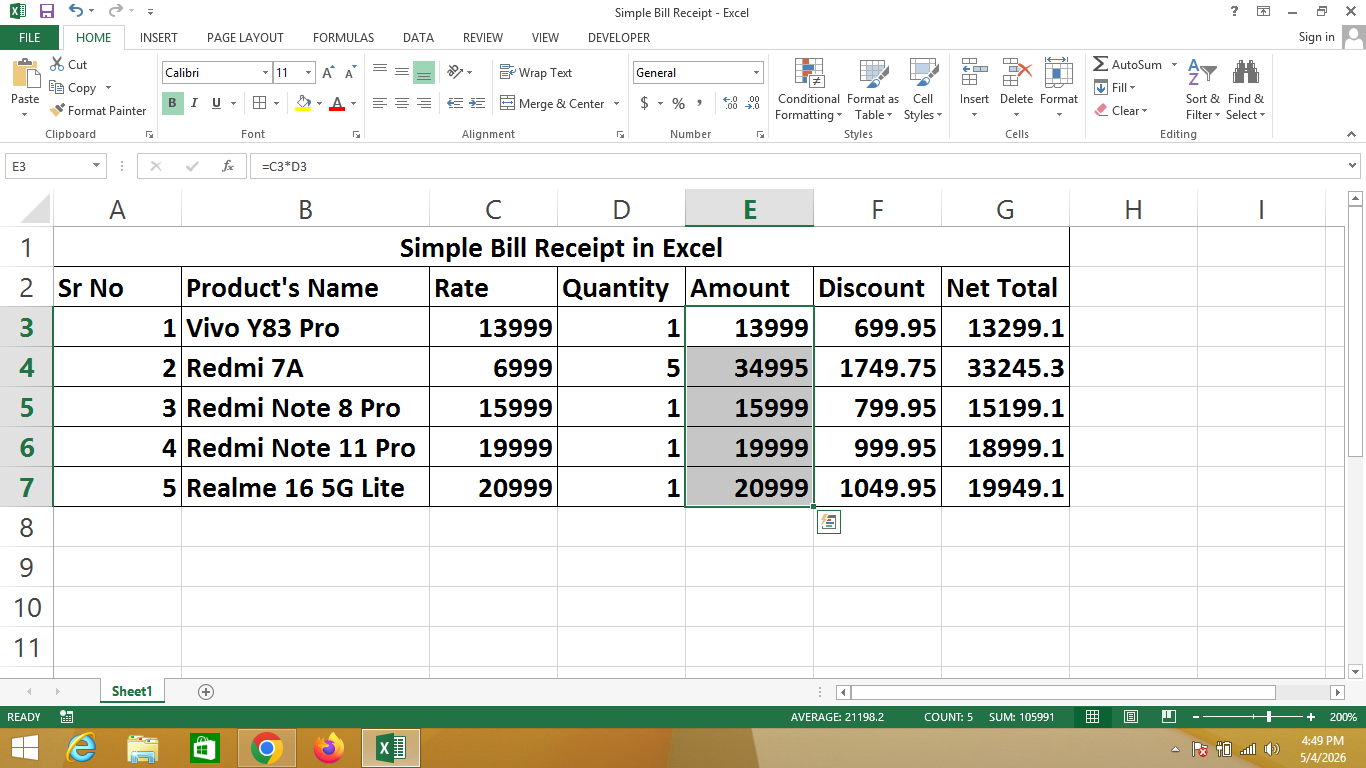
A Bill Receipt in Excel is a digital document created using Microsoft Excel that is used to record details of products or services provided to a customer. It helps businesses keep a clear and organized track of sales transactions.
This receipt typically includes information such as product name, rate, quantity, total amount, discount, and the final payable amount (Net Total). With Excel, all calculations can be done automatically using formulas, which reduces manual errors and saves time.
🔹 Simple Definition
A Bill Receipt is a structured format that shows:
- What the customer purchased
- The quantity of items
- The total amount
- Any discount applied
- The final amount to be paid
🔹 Why use Excel for Bill Receipts?
- ✔ Automatic calculations using formulas
- ✔ Easy to edit and update
- ✔ Professional and clean formatting
- ✔ Saves time and effort
- ✔ Ideal for small businesses and shops
🔹 Real-life Uses
- Retail stores
- Cafes and restaurants
- Freelancers and service providers
- Small business billing systems
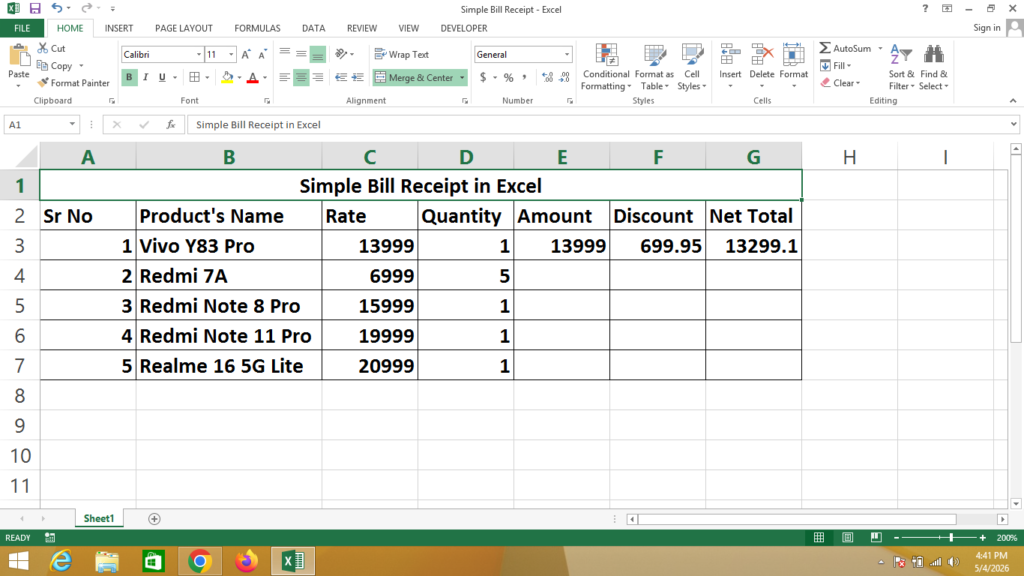
Formula
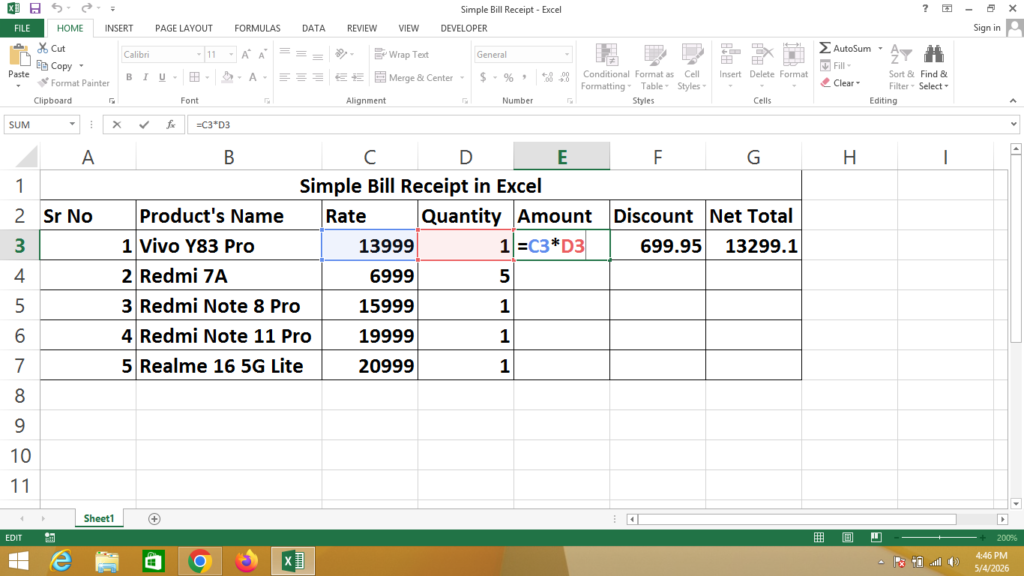
Amount = Click on Rate * Click on Quantity
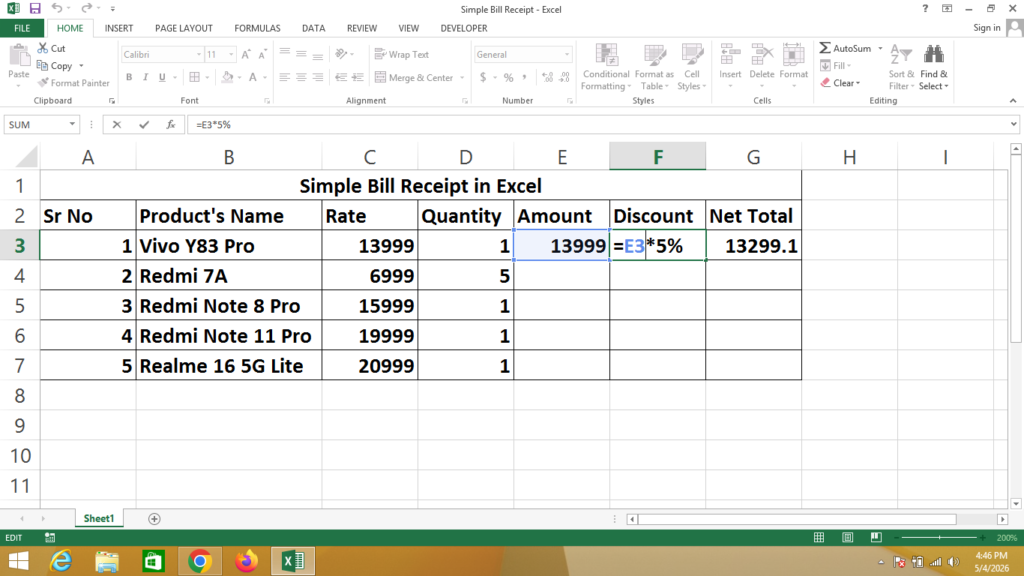
Discount = Click on Amount * 5%
Net Total = Click on Amount – Click on Discount
Amount Overview
Discount Overview
Net Total Overview
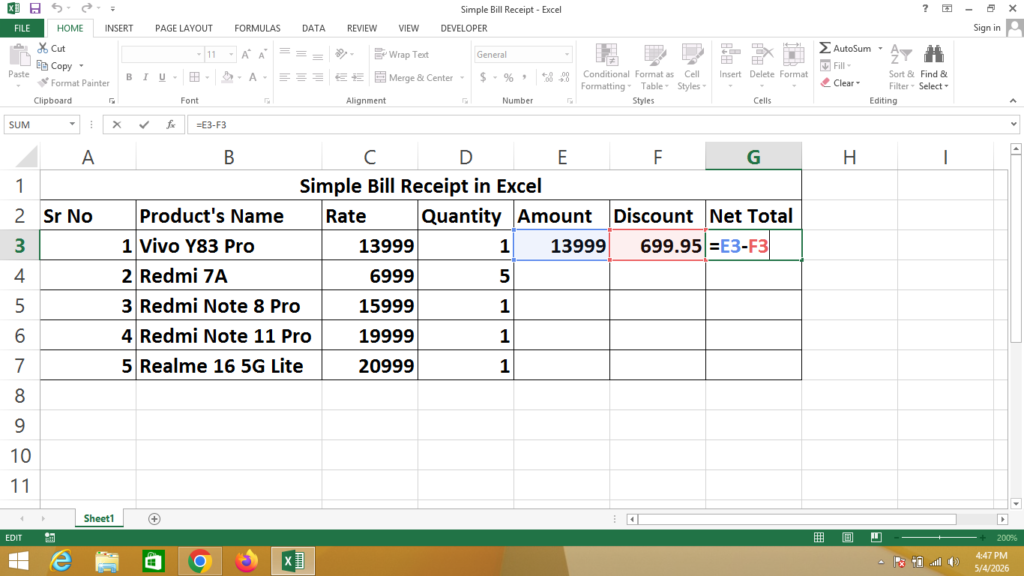
After Appling Formula
Select Amount Column from First Cell To Last Cell as Given Below
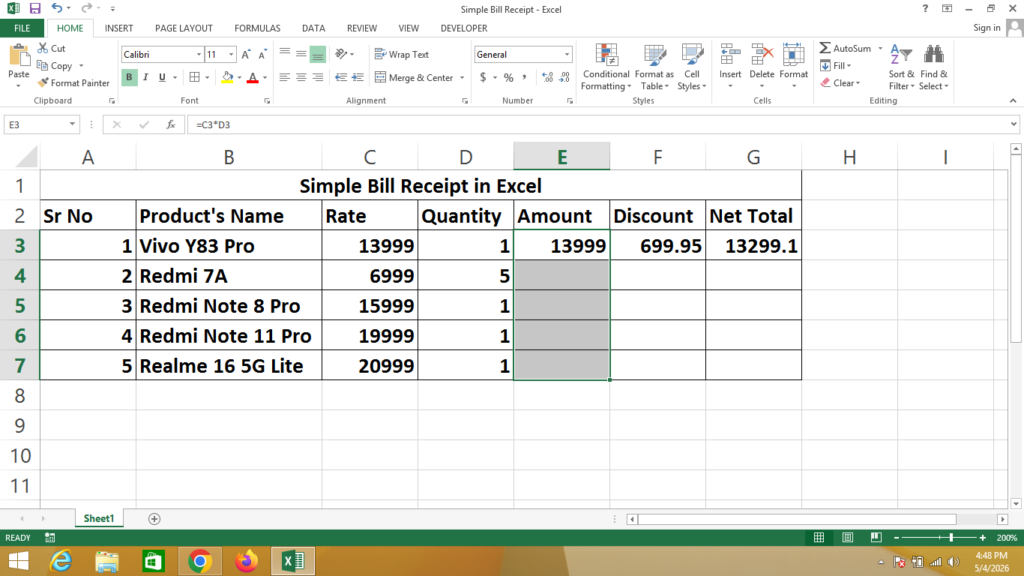
After Selection Press Ctrl + D To Apply Formula in All Cells
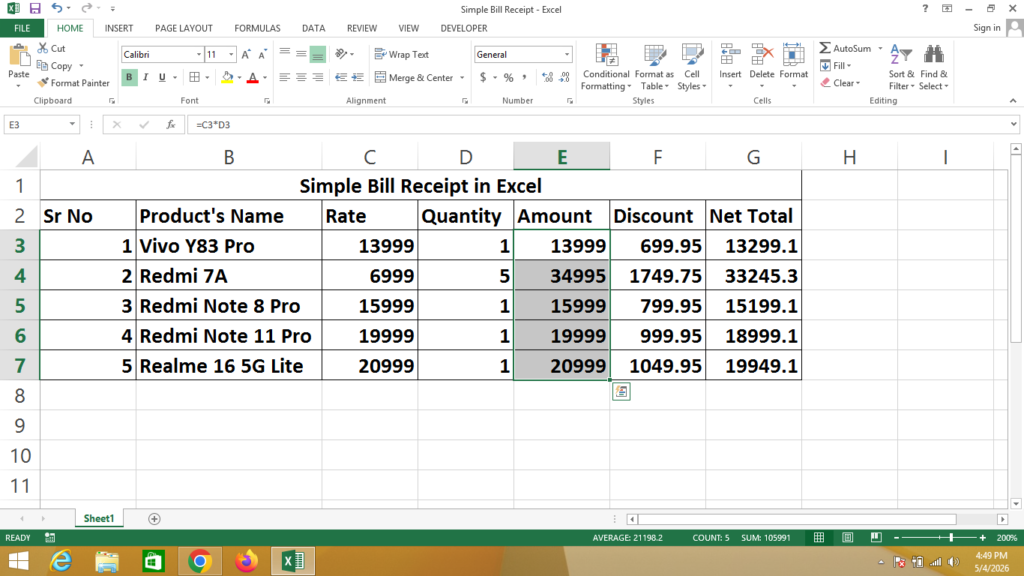
If You Need a Help – Watch Video