
Student’s Marksheet – Subject Wise Failed System
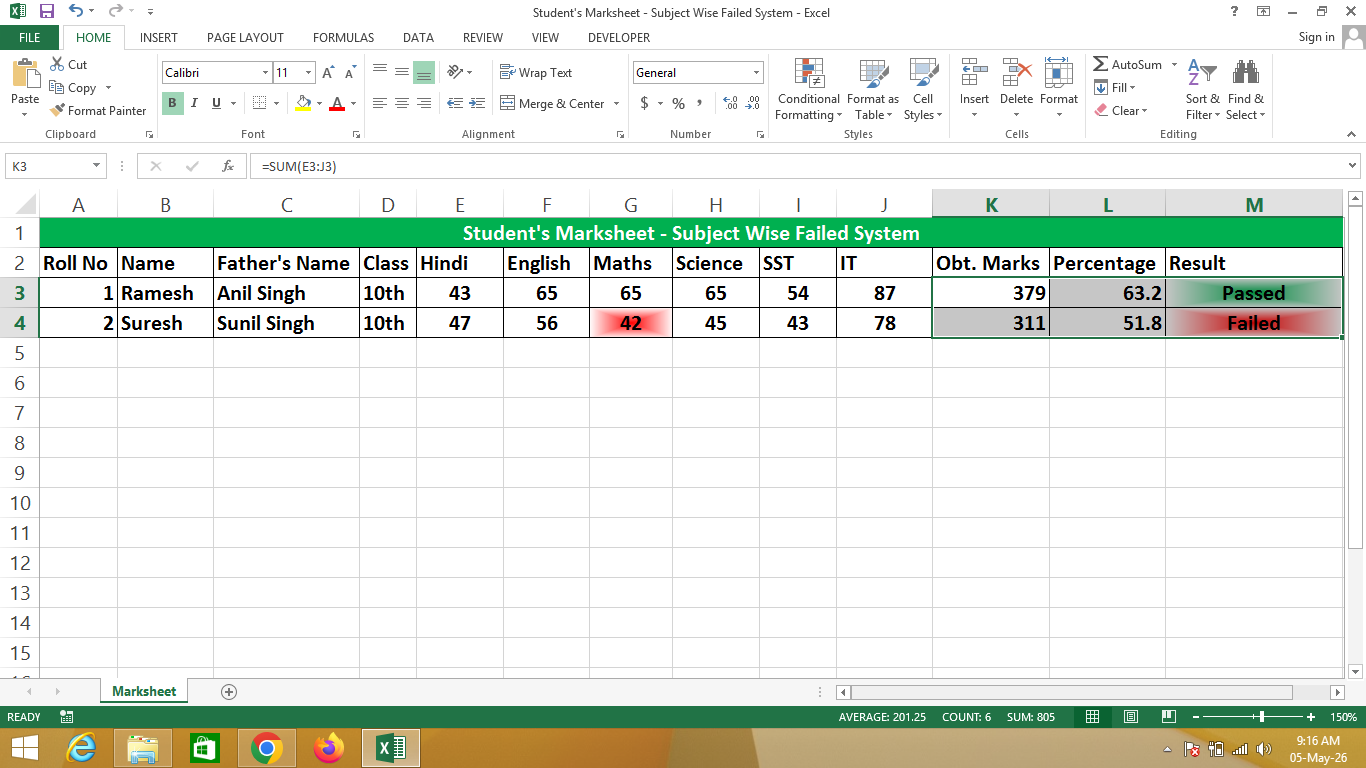
A Student’s Marksheet in Excel is a digital record created using Microsoft Excel that tracks students’ marks in different subjects. It helps teachers, students, and schools maintain an organized record of exam results.
This marksheet can automatically calculate total marks, average, grades, and highlight subjects in which a student has failed using Excel formulas and conditional formatting.
🔹 Simple Definition
A Student’s Marksheet in Excel is a structured table that shows:
- Each student’s name and roll number
- Marks obtained in each subject
- Total marks and average
- Subject-wise failure detection
- Overall result (Pass/Fail)
🔹 Why use Excel for Student Marksheets?
- ✔ Automatic calculations using formulas
- ✔ Highlights failed subjects automatically
- ✔ Easy to update for multiple students
- ✔ Professional and clean format
- ✔ Saves time compared to manual calculation
🔹 Real-life Uses
- Schools and colleges for exam result processing
- Teachers tracking student performance
- Home-schooling or coaching centers
- Small educational institutes for automated grading
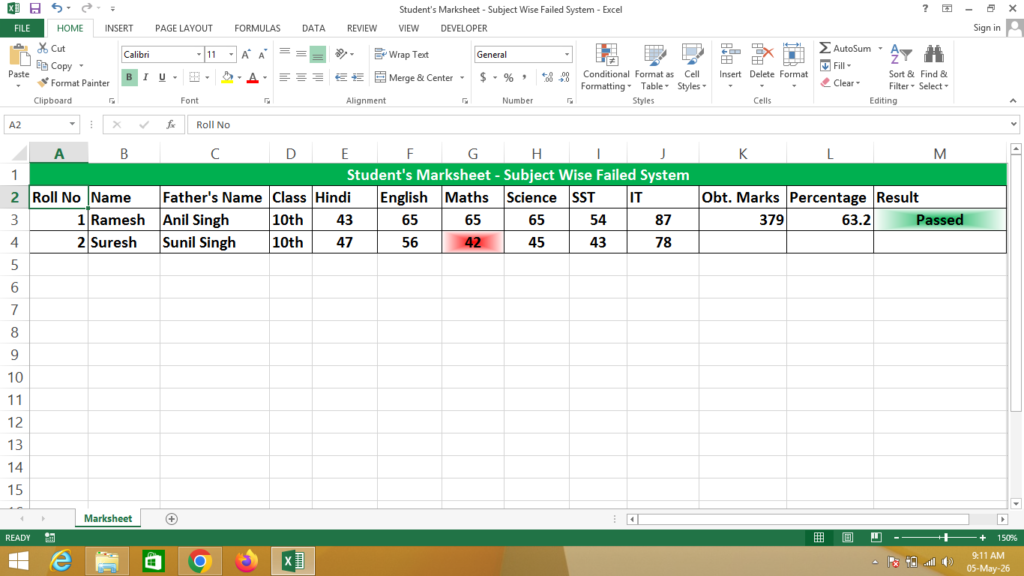
Formula
Obtained Marks = Sum(Select Cells of Marks)
Percent = Click on Obtained Marks / 6
Result = IF(AND(Hindi>=43,Marks>=43,Maths>=43,Science>=43,SST>=43,IT>=43),”Passed”,”Failed”)
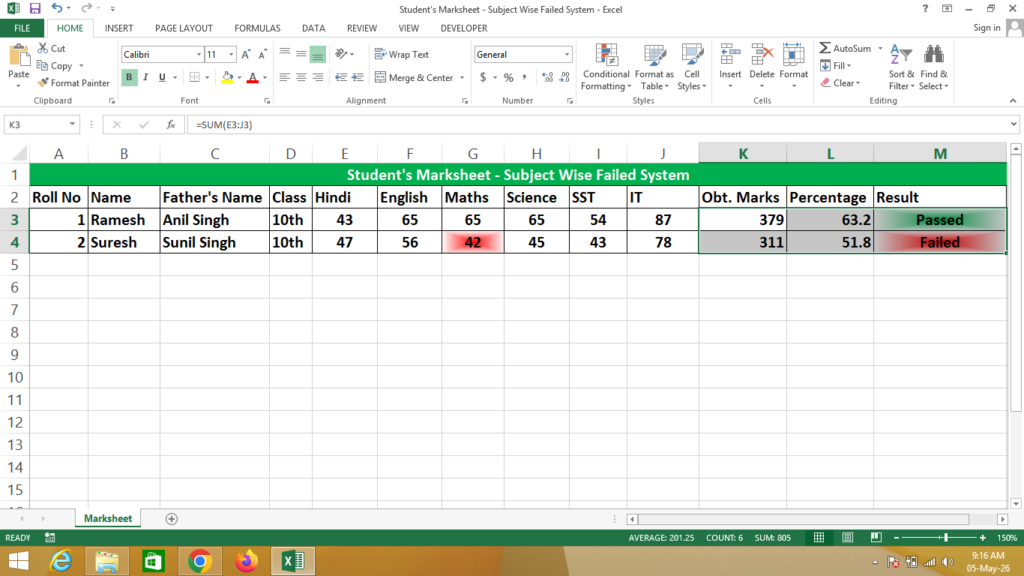
After Apply Formula Select Cells in Which You Want To Apply Formula
Press Ctrl + D Below Applied Formula Cell
If You Need a Help – Watch Video