
Simple Interest Sheet in Excel
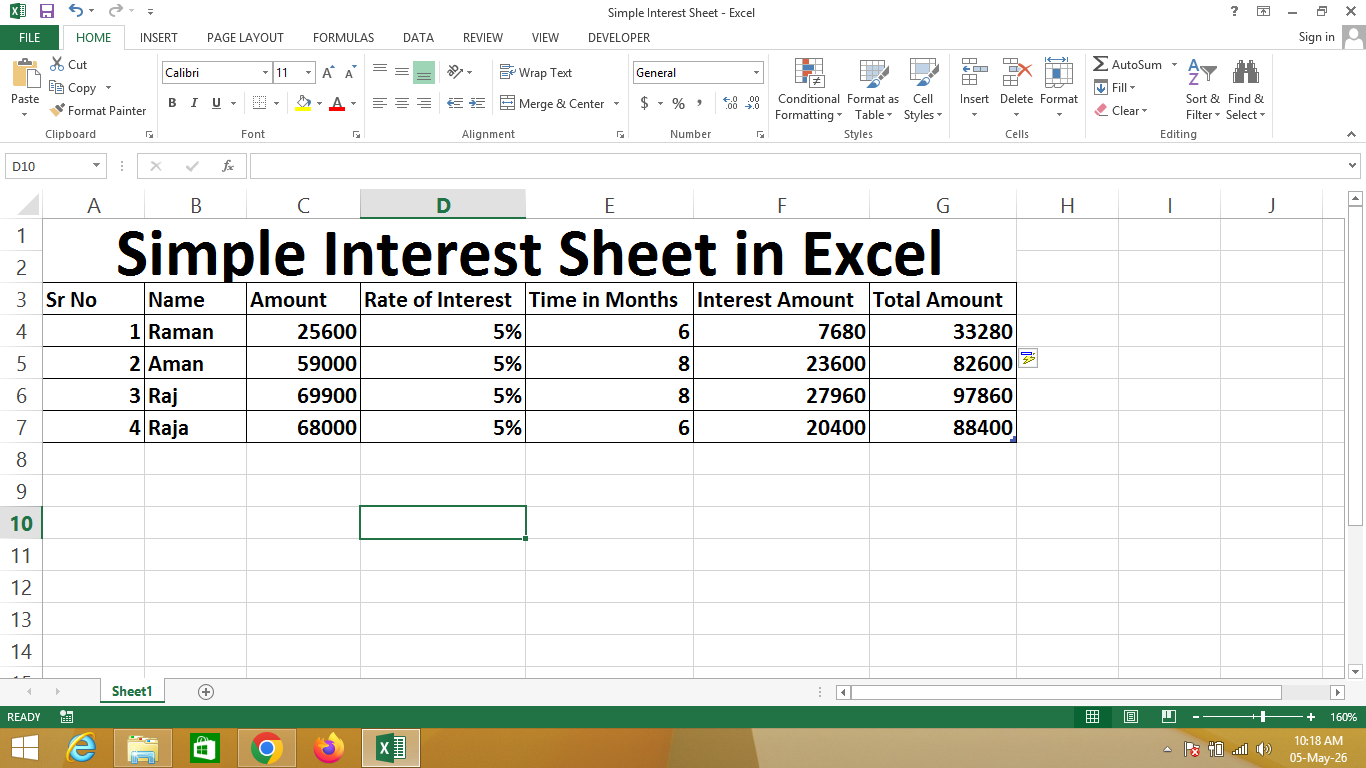
A Simple Interest Sheet in Excel is a financial calculation sheet created using Microsoft Excel that helps calculate interest on a given amount based on rate and time period.
This sheet automatically calculates the interest amount and total payable amount using formulas, making it useful for students, businesses, and financial tracking.
🔹 Simple Definition
A Simple Interest Sheet is a structured table that shows:
- Serial number and person’s name
- Principal amount (initial money)
- Rate of interest (%)
- Time period (years/months)
- Calculated interest amount
- Final total amount (principal + interest)
🔹 Columns Explanation
- Sr No – Serial number for identification
- Name – Person or customer name
- Amount – Principal amount (original money)
- Rate of Interest – Interest rate (%)
- Time – Duration (in years or months)
- Interest Amount – Calculated interest
- Total Amount – Final amount after adding interest
🔹 Why use Excel for Simple Interest?
- ✔ Automatic calculations using formulas
- ✔ Fast and error-free results
- ✔ Easy to manage multiple records
- ✔ Professional and organized format
- ✔ Useful for financial learning and business
🔹 Real-life Uses
- Banks and financial calculations
- Loan and interest tracking
- Student learning projects
- Personal finance management
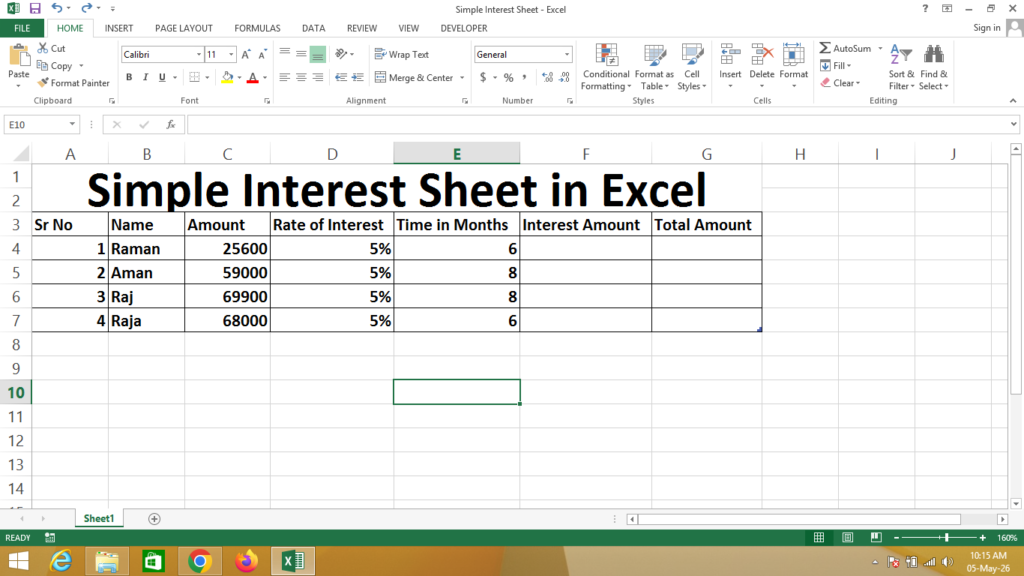
Formula
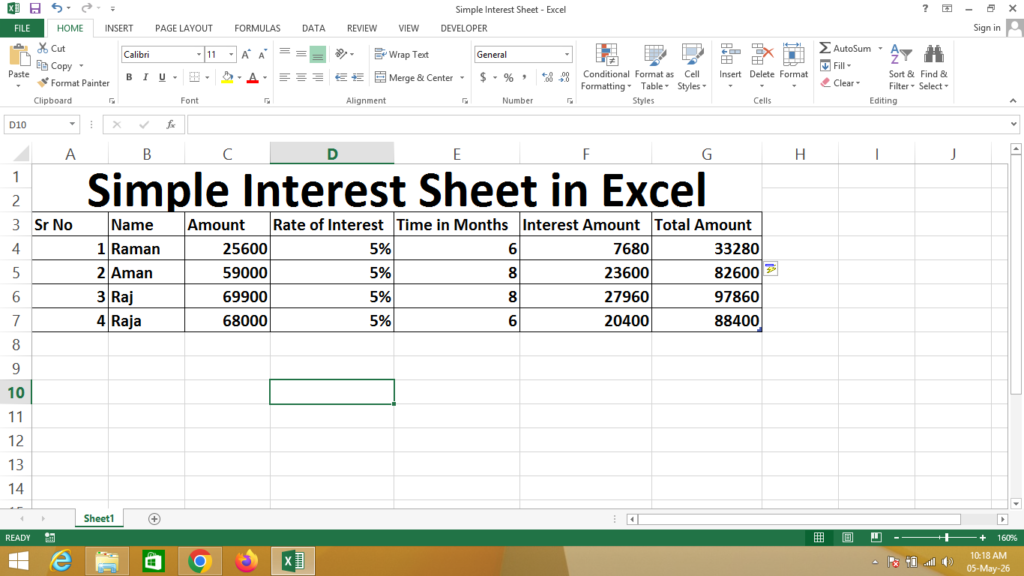
Interest Amount = Click on Amount * Click on Rate of Interest * Click on Time in Months
Total Amount = Click on Amount + Click on Interest Amount
If You Need a Help – Watch Video