
Payment Collection Status in Excel
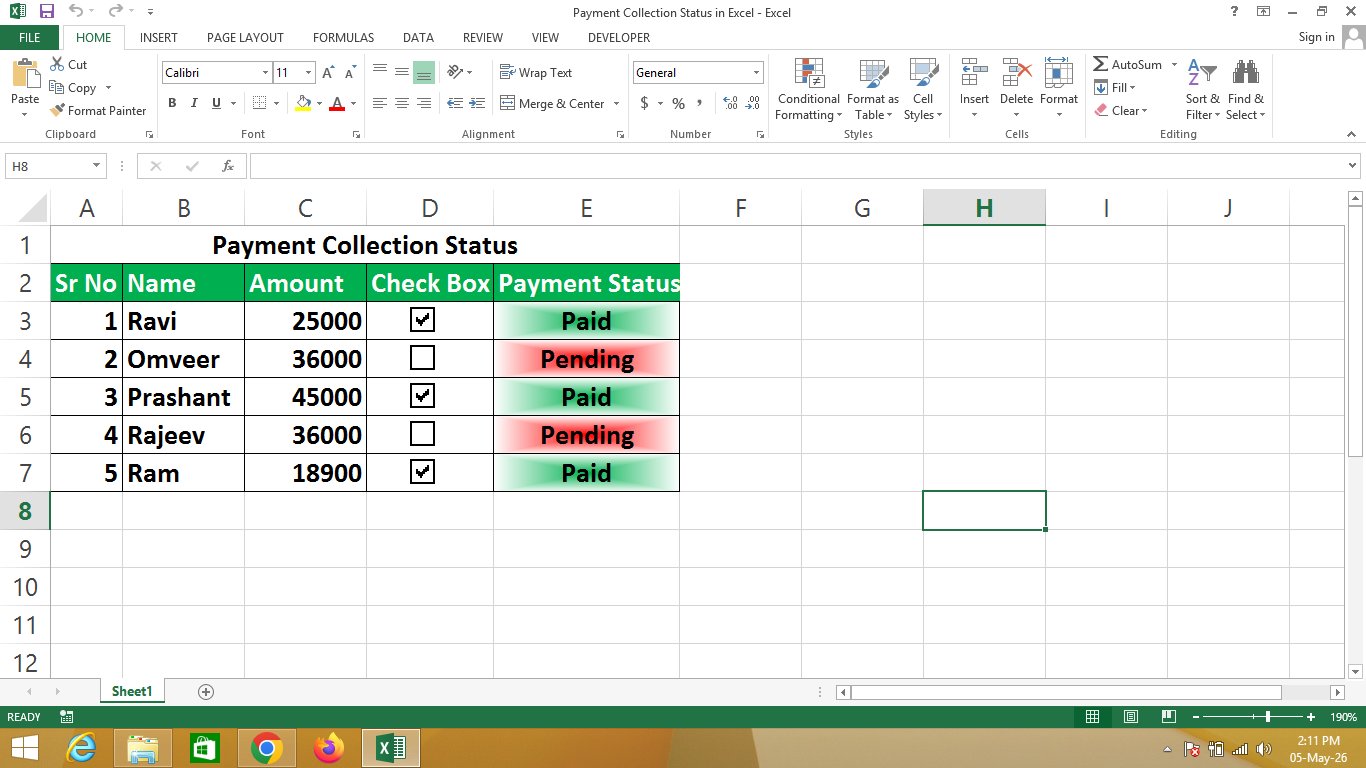
A Payment Collection Status in Excel is a smart tracking system created using Microsoft Excel that helps monitor whether payments are paid or pending using an interactive checkbox.
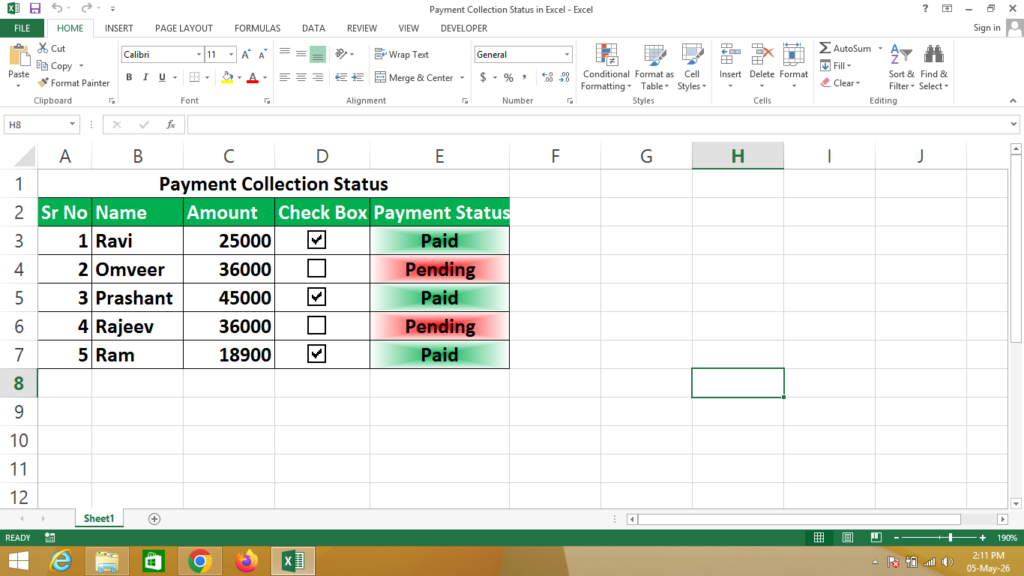
In this system, when a checkbox is ticked, the payment status automatically changes to Paid, and when it is unchecked, it shows Pending.
🔹 Simple Definition
A Payment Collection Status sheet is a structured table that shows:
- Serial number and customer name
- Payment amount
- Checkbox for payment confirmation
- Automatic status (Paid or Pending)
🔹 Columns Explanation
- Sr No – Serial number
- Name – Customer or client name
- Amount – Payment amount
- Check Box – Used to mark payment received
- Payment Status – Automatically shows Paid or Pending
🔹 How it Works in Excel
- Insert Check Box from Developer Tab
- Link checkbox to a cell (TRUE/FALSE)
- Apply formula to show status based on checkbox
🔹 Why use Excel for Payment Tracking?
- ✔ Easy to track payments
- ✔ Interactive checkbox system
- ✔ Automatic status update
- ✔ Reduces manual errors
- ✔ Simple and professional solution
🔹 Real-life Uses
- Fee collection tracking
- Customer payment records
- Loan or EMI tracking
- Freelance payment management
- Small business accounting
🔹 Formula Used in Excel
👉 Payment Status Formula:
= IF(Click on Check Box Cell=TRUE, "Paid", "Pending")IF You Need a Help – Watch Video
Payment Collection Status with Progress Bar
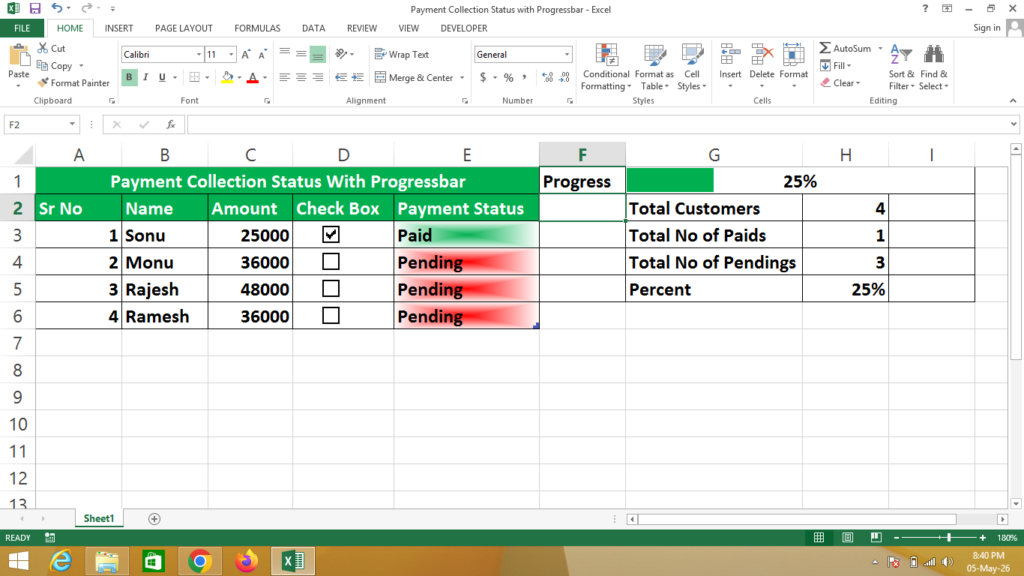
Formula
Payment Status = IF(Click on Check Box Cell=TRUE,”Paid”,”Pending”)
Total Customers = Counta(Select All Names of Customers)
Total No of Paid = Countif(Select Payment Status Column,”Paid”)
Total No of Pending = Countif(Select Payment Status Column,”Pending”)
Percent = Click on Total No of Paid / Click on Total Customers
Percent = Convert Decimal to Percent from Number Format – Percentage
For Progress Bar Colour – Click on Conditional Formatting – Data Bars – More Rules
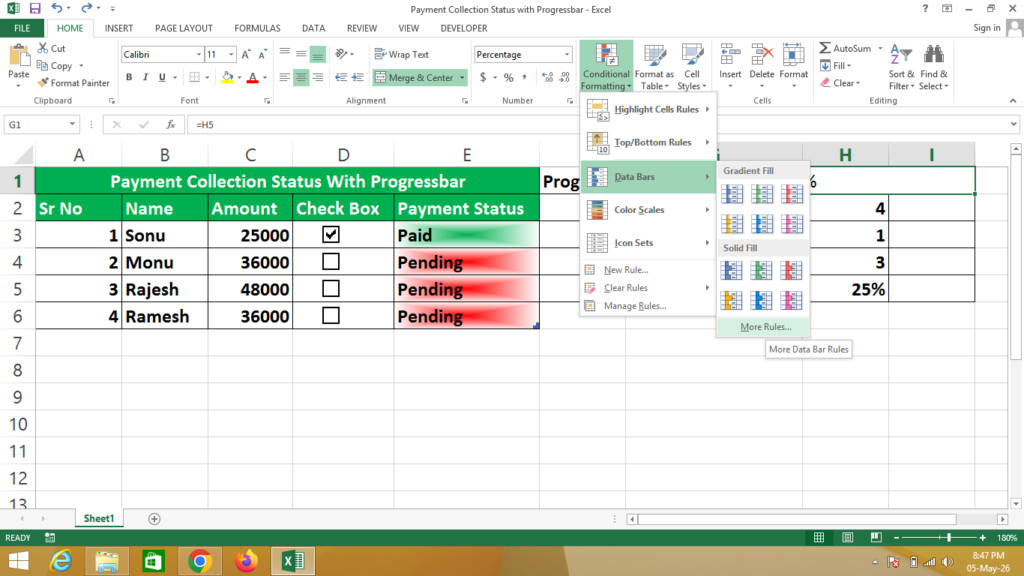
Set Rules as Given Below
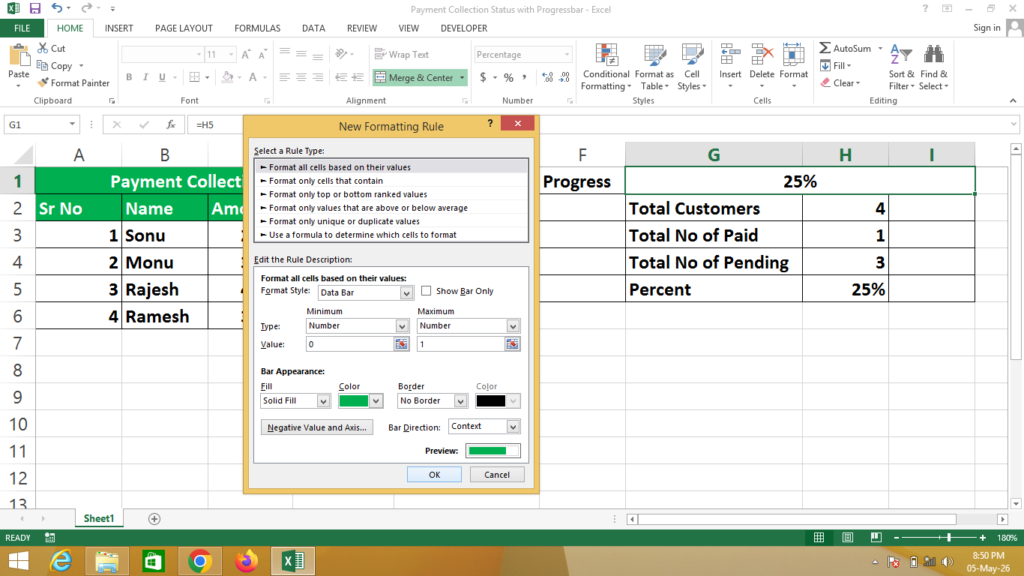
Check Preview