
Profit and Loss in Excel
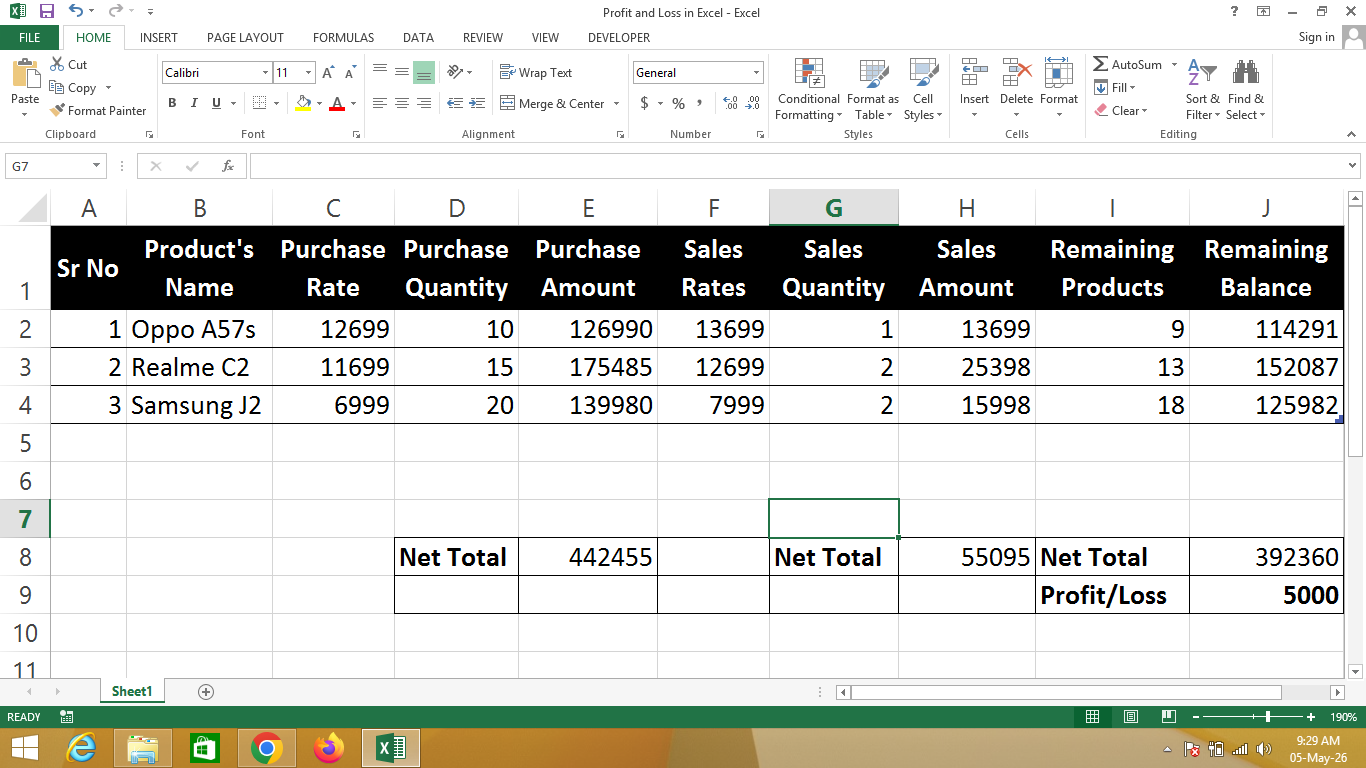
A Profit and Loss statement in Excel is a digital financial record created using Microsoft Excel that helps track business income, expenses, and net profit or loss over a specific period.
This Excel sheet allows users to calculate total revenue, total expenses, and automatically determine whether the business has made a profit or incurred a loss using simple formulas.
🔹 Simple Definition
A Profit and Loss Excel sheet is a structured table that shows:
- Total revenue or sales income
- Expenses like rent, salary, and materials
- Calculation of net profit or loss
- Comparison of income and expenses for financial insights
🔹 Why use Excel for Profit and Loss?
- ✔ Automatic calculations using formulas
- ✔ Easy to update and track multiple months
- ✔ Visual representation possible with charts
- ✔ Professional and organized format
- ✔ Ideal for small businesses and personal finance
🔹 Real-life Uses
- Small business financial tracking
- Freelancers managing income and expenses
- Shops, cafes, and retail stores
- Home budgeting and personal finance tracking
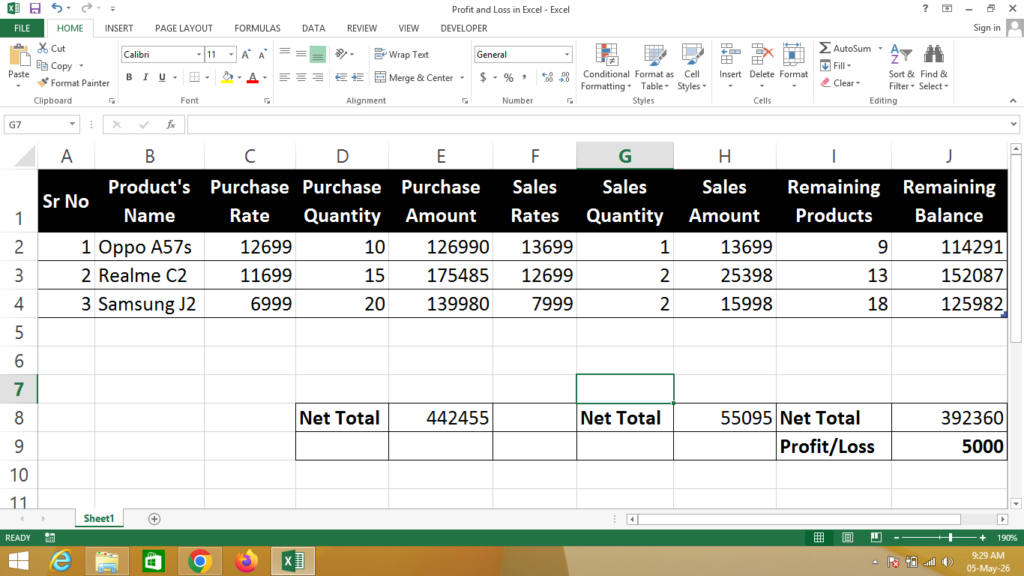
Formula
Purchase Amount = Click on Purchase Rate * Click on Purchase Quantity
Sales Amount = Click on Sales Rate * Click on Sales Quantity
Remaining Products = Click on Purchase Quantity – Click on Sales Quantity
Remaining Balance = Click on Purchase Rate * Click on Remaining Products
Net Profit / Loss = Click on Sales Total Amount – Click on Purchase Total Amount + Click on Remaining Balance Total Amount
If You Need a Help – Watch Video