
Student Fee Record Management System in Excel
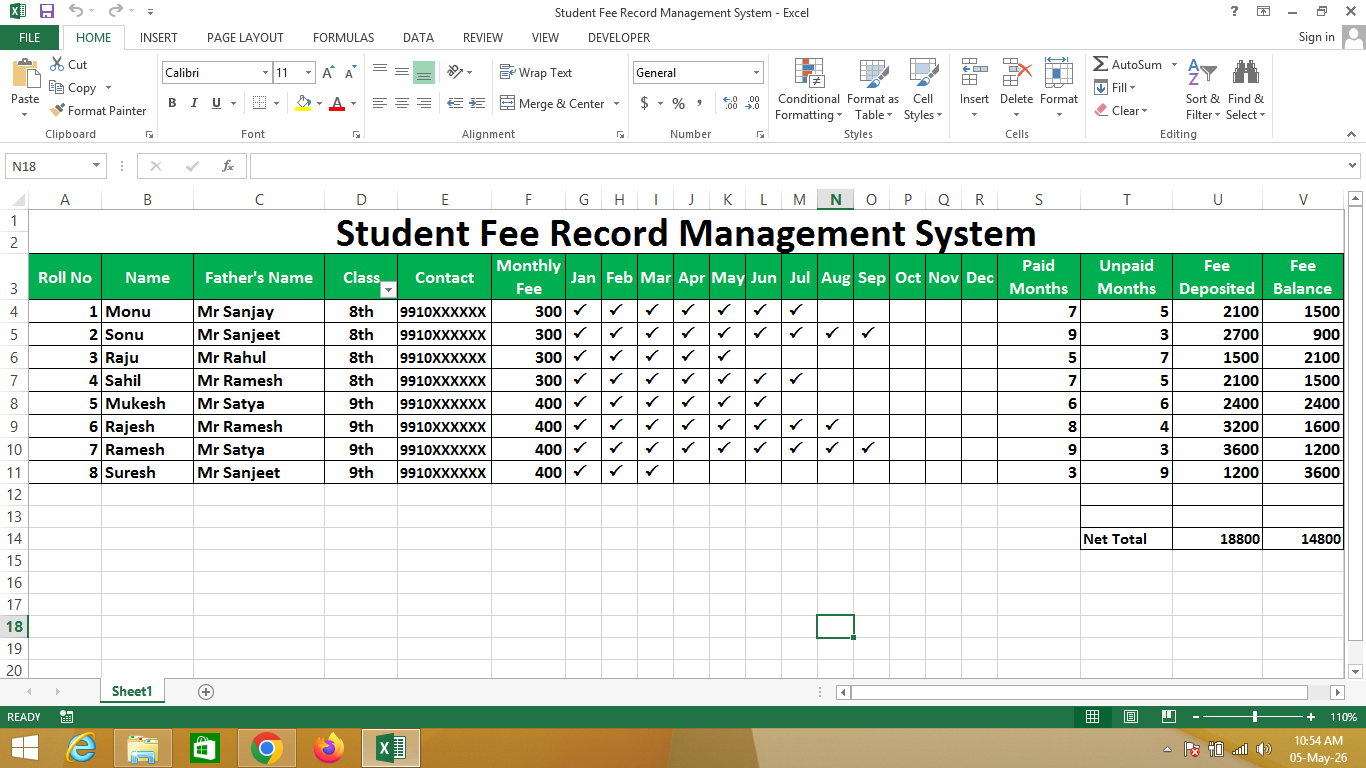
A Student Fee Record Management System in Excel is a structured sheet created using Microsoft Excel that helps schools and institutes track student fee payments month-wise from April to March (financial year).
This system allows you to record whether a student has paid their fees for each month and maintain a complete yearly fee record in one place.
🔹 Simple Definition
A Student Fee Record Management System is a table that shows:
- Student name and details
- Monthly fee payment status (April to March)
- Total fees paid and pending
- Complete yearly fee tracking in one sheet
🔹 Key Features / Columns
- Student Name / Roll No – Identification of student
- April to March Columns – Monthly fee payment tracking
- Fee Status – Paid / Unpaid
- Total Paid – Sum of paid months
- Pending Fees – Remaining unpaid amount
🔹 How it Works in Excel
- Each month (April to March) represents a column
- You can enter values like Paid / Unpaid or amount
- Use formulas like SUM to calculate total fees
- Apply Conditional Formatting to highlight unpaid months
🔹 Why use Excel for Fee Management?
- ✔ Easy monthly tracking (April to March)
- ✔ Automatic calculations
- ✔ Reduces manual errors
- ✔ Simple and cost-effective solution
- ✔ Ideal for schools, coaching centers, and institutes
🔹 Real-life Uses
- Schools and colleges fee tracking
- Coaching institutes
- Tuition classes
- Small educational organizations
Steps
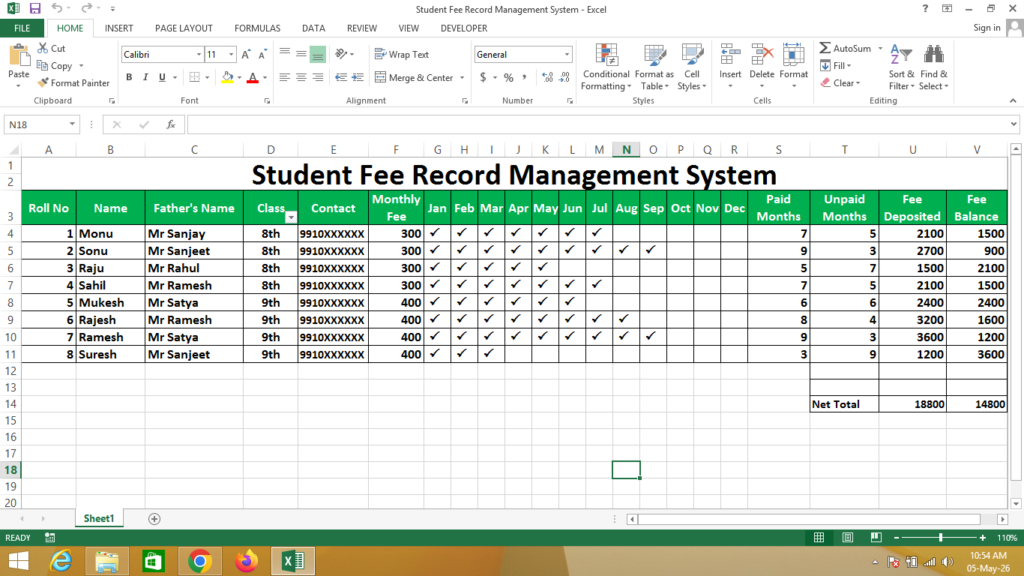
From April To March In Which Months You want to enter Paid Months Details – You have to enter Only Capital Letter P, After Select All Range of Cells Select Font – Wingdings 2 As Given Below
Formula
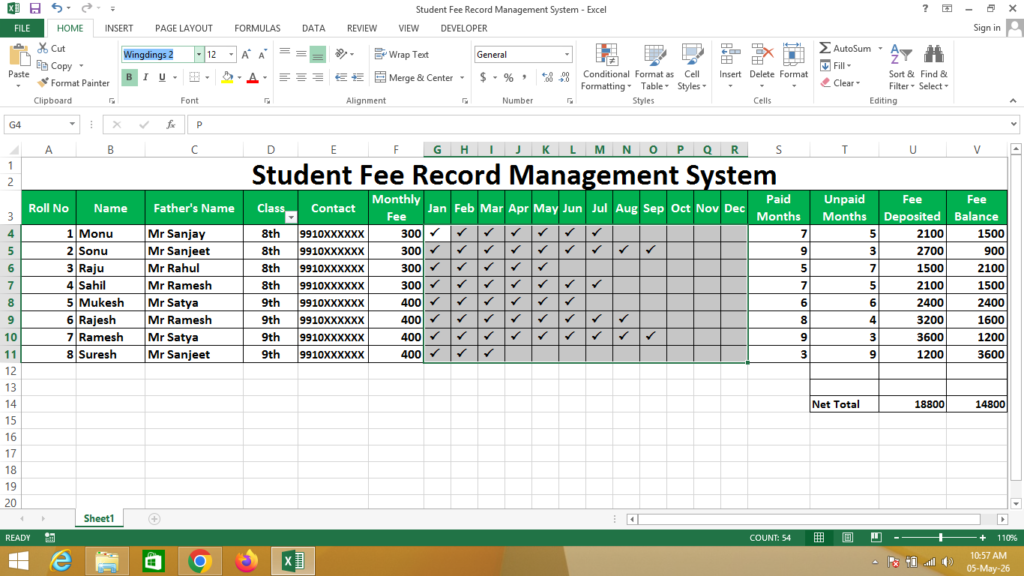
Paid Month = Counta(Select Months Range Cells)
Unpaid Month = Countblank(Select Months Range Cells)
Fee Deposited = Click on Monthly Fee * Click on Paid Months
Fee Balance = Click on Monthly Fee * Click on Unpaid Months
Net Total = Subtotal(9,Select Cells of Data)
If You Need a Help – Watch Video